
A Different Kind of Love Letter
Valentine's Day today, and I wanted to give my special person something more meaningful than flowers or chocolates. I had a running list in my notes app of all the little things I adore about her, moments that made me smile, quirks that made her uniquely her.
What if I could turn that list into something interactive? Something she could swipe through, smile at, and revisit whenever she wanted?
So I built a simple web app with swipeable cards, each one revealing a different reason I adore her. Password-protected, personal, and built in a single afternoon with Claude Code.
What I Built
The app is simple: a single-page interface with cards you can swipe through (like Tinder, but for love notes instead of dating). Each card displays one reason I adore her. It's password-protected so only she can access it, and I deployed it to a URL I could text her.
The whole thing took about 10 minutes from idea to deployed link.
See the Live Demo
I've created a demo version you can try out. Swipe through a few cards to see how it works. The password is light.
View Live Demo →What It Looks Like
The app has two main screens: a password gate to keep it private, and the interactive card interface where the magic happens.
The Card Interface
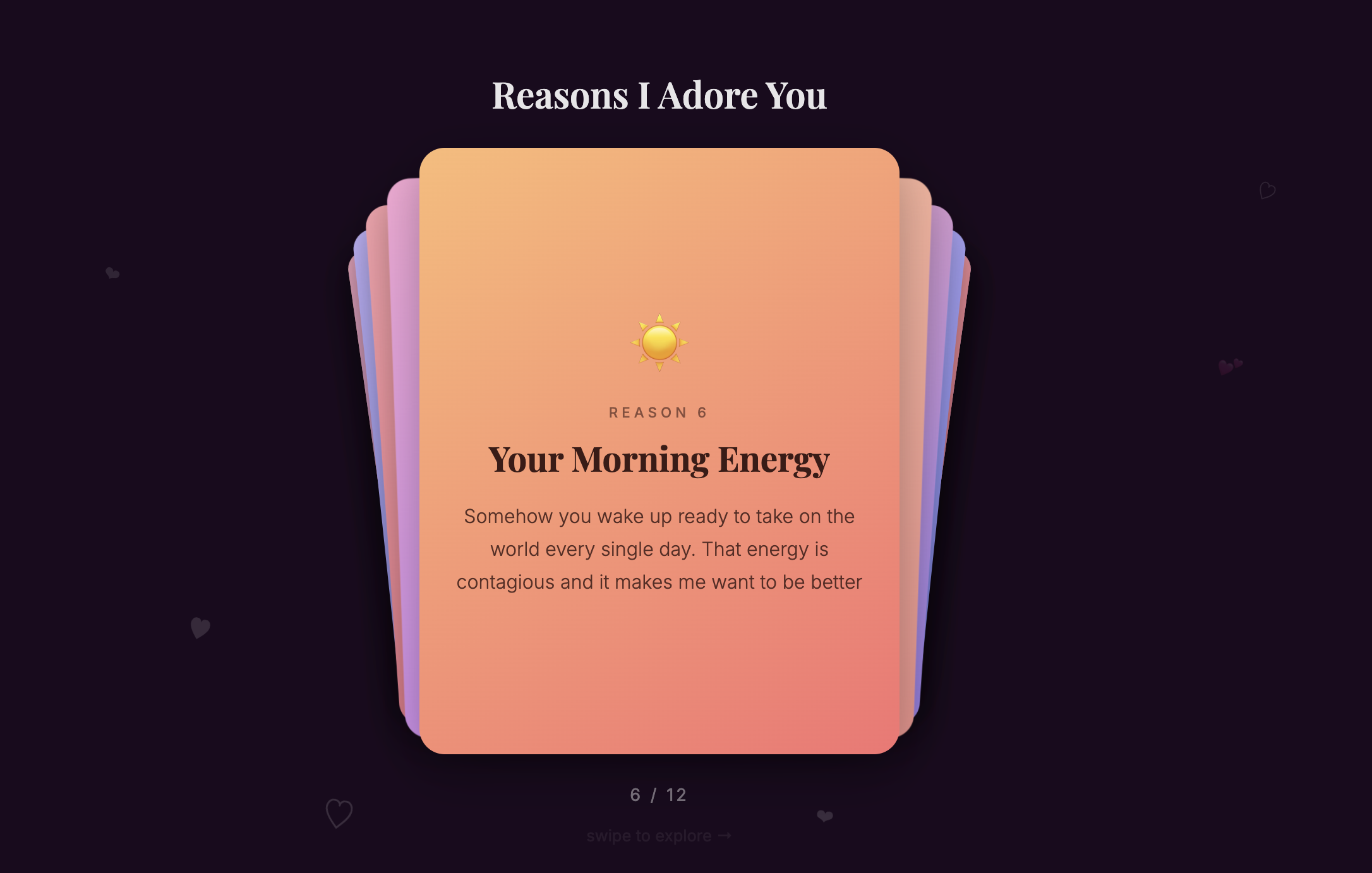
The main interface features swipeable cards stacked behind each other, each revealing a different reason. The cards have a soft gradient background (peach to pink), an emoji icon representing the theme, and the reason text. At the bottom, you can see which card you're on (6 / 12) and a hint to swipe. Hearts float in the background as you navigate.
The Password Screen
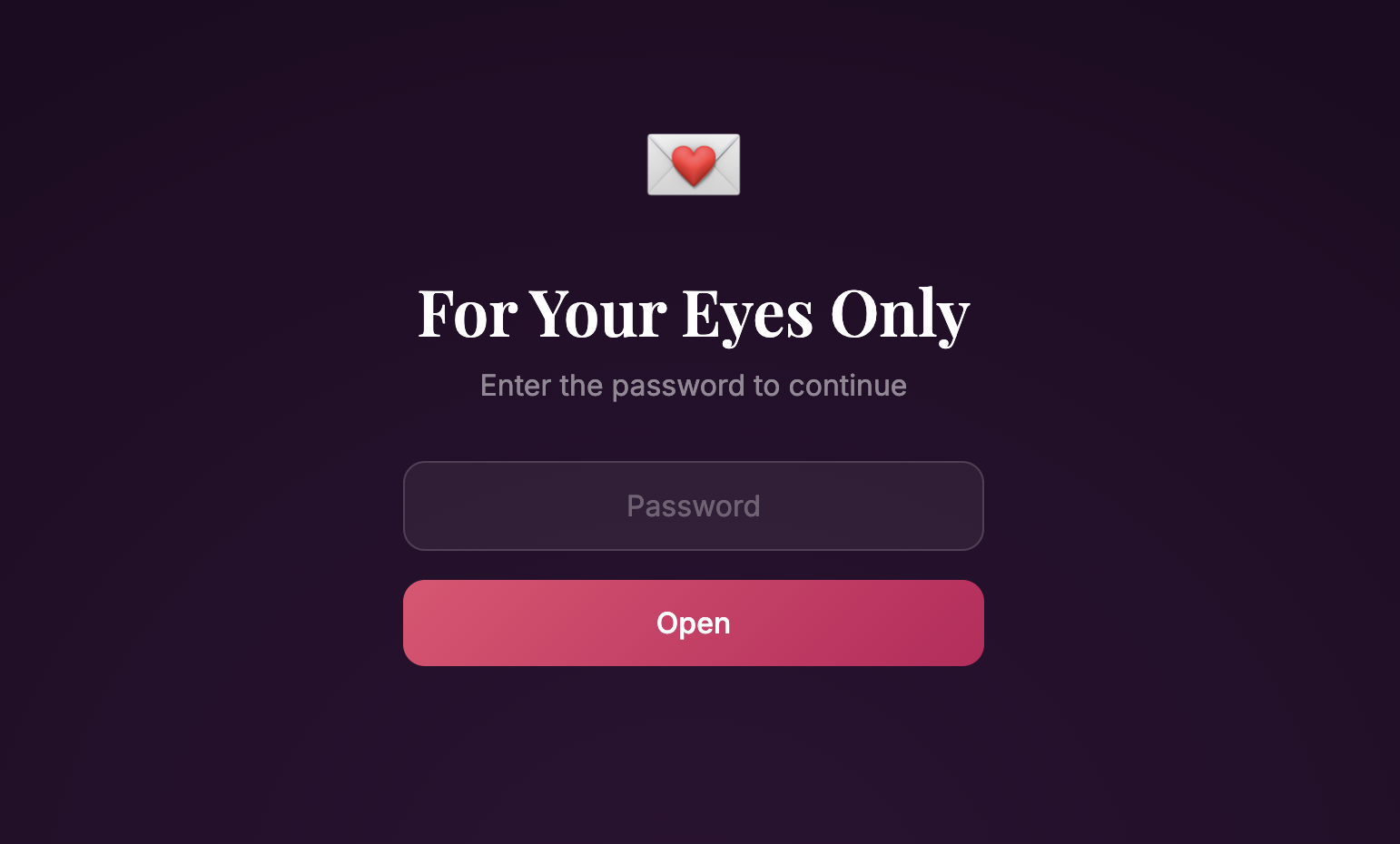
To keep it private, visitors are greeted with a romantic password screen first. The dark gradient background, heart envelope icon, and "For Your Eyes Only" headline set the intimate tone. Only someone with the password can access the cards inside.
How to Build Your Own
Want to create your own version for your significant other? Here are the exact steps I followed. You don't need any coding experience, just a computer and about an hour of time.
Step 1: Create a Project Folder
Open your terminal and create a new folder for your project:
mkdir reasons-i-adore-you
cd reasons-i-adore-you
Step 2: Start Claude Code
Launch Claude Code in your project directory:
claudeStep 3: Enter Plan Mode
Once Claude Code is running, enter plan mode to scope out your build:
/planStep 4: Give Claude Your Prompt
This is where the magic happens. I gave Claude a single prompt with all the reasons I adore my special person. Here's the exact prompt I used:
I'd like to make a single page app that is for my girlfriend with a bunch of swipeable cards, each one telling her a reason I adore her. This is the list of things now. I might want to add more later. Make it a simple page I can deploy and password protect it with a password I can set.After that prompt, I pasted in my list of reasons. Claude planned out the entire app structure, then built it step by step.
Step 5: Review and Build
Claude will create a plan for the app including:
- A swipeable card interface
- Password protection
- Responsive design for mobile
- Simple deployment setup
Review the plan, approve it, and let Claude build the app. It will create all the HTML, CSS, and JavaScript needed.
Step 6: Deploy It
Once the app is built, deploy it using Surge (or any static hosting service):
npm install -g surge
surge
Follow the prompts to deploy, and you'll get a live URL you can share with your special person.
What Makes This Special
This project reminded me why I love building with AI:
1. Speed Enables Spontaneity
I had this idea on Valentine's Day morning and had a working app by the afternoon. That kind of speed turns "wouldn't it be cool if..." into "here's the thing I made for you."
2. Technical Barriers Removed
I didn't need to remember how to set up a build system, configure password protection, or implement swipeable gestures. I just described what I wanted, and Claude handled the implementation.
3. Focus on the Message
Instead of wrestling with code, I spent my time thinking about what I wanted to say, which reasons to include, how to phrase them. The technology got out of the way and let me focus on the heart of the gift.
4. Easy to Update
Because the app is simple and well-structured, I can easily add new cards whenever I think of new reasons. The gift keeps growing over time.
Her Reaction
When I sent her the link, she loved it. I wasn't there to see her reaction, but I'm sure she was smiling.
That's the power of personal creation. It doesn't matter that I had help from AI. What matters is that I turned my feelings into something tangible, interactive, and uniquely ours.
Your Turn
Valentine's Day (or any day) is a perfect excuse to build something personal. Whether it's a love letter app, a photo gallery, a custom playlist interface, or something entirely different, AI tools like Claude Code make it possible for anyone to create.
You don't need to be a developer. You just need something to say and the willingness to try.
What will you build for someone you love?
Ready to Start Building?
Light School's Builder Program is a live, twice-a-week workshop where you build real projects with AI. No coding experience needed.
Apply to the Program →